
Download Computer Cuisine Deluxe – recipe planner, meal prep tool, grocery list generator, AI cooking assistant, healthy eating app
Overview
Computer Cuisine Deluxe is a desktop software designed to simplify meal planning and cooking for home chefs and health-conscious individuals. The application offers access to over 1,000 recipes, with integrated AI-powered tools that assist users in creating personalized weekly meal plans. Its core function is to reduce the time and effort involved in deciding what to cook, managing ingredients, and preparing grocery lists. This makes it ideal for busy professionals, families, and individuals aiming to maintain a balanced diet without the stress of daily meal decisions.
Target users include home cooks seeking structured meal planning, nutrition-focused individuals, and anyone looking to streamline their kitchen workflow. The software is developed by CulinaryAI Labs, a company specializing in AI-driven culinary tools, though specific details about the organization’s background were not provided. Real-world use cases include planning meals for the week, accommodating dietary preferences, and minimizing food waste through smart ingredient tracking.
By combining a vast recipe library with intelligent automation, Computer Cuisine Deluxe aims to transform the cooking experience from a chore into a more enjoyable, organized process. The software supports both Windows and Mac operating systems, ensuring broad accessibility across personal computing platforms.
Key Features & Capabilities
- 1,000+ Recipe Library – Access a diverse collection of recipes spanning multiple cuisines, cooking styles, and dietary needs, including vegetarian, vegan, low-carb, and gluten-free options.
- AI-Powered Meal Planning – Automatically generates personalized weekly meal plans based on user preferences, available ingredients, and nutritional goals.
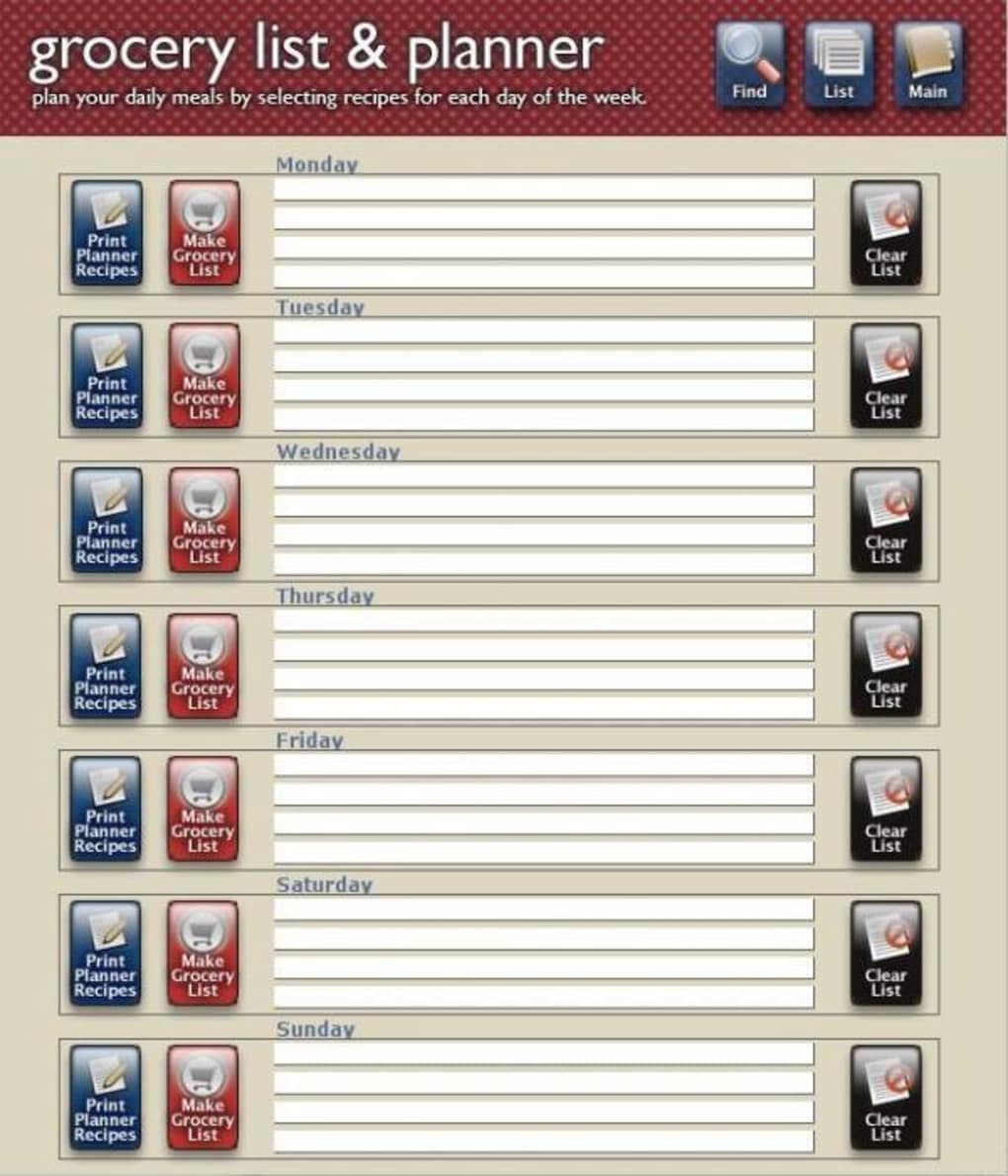
- Smart Grocery List Generator – Compiles a dynamic grocery list by analyzing selected recipes, eliminating duplicates and suggesting substitutions when needed.
- Dietary Preference Integration – Users can set dietary filters (e.g., keto, paleo, halal) to ensure all recommended meals align with their lifestyle.
- Meal Prep Scheduling – Allows users to schedule prep tasks in advance, with reminders and step-by-step instructions for batch cooking.
These features work together to support efficient kitchen management. For example, a user can select a weekly goal of eating healthy and low-sodium, and the AI will generate meals that meet those criteria while minimizing ingredient overlap. The grocery list then consolidates all required items, helping users shop once and reduce waste. This workflow is particularly useful for meal preppers, families with varied dietary needs, or individuals managing chronic health conditions through diet.
User Interface, Workflow & Performance
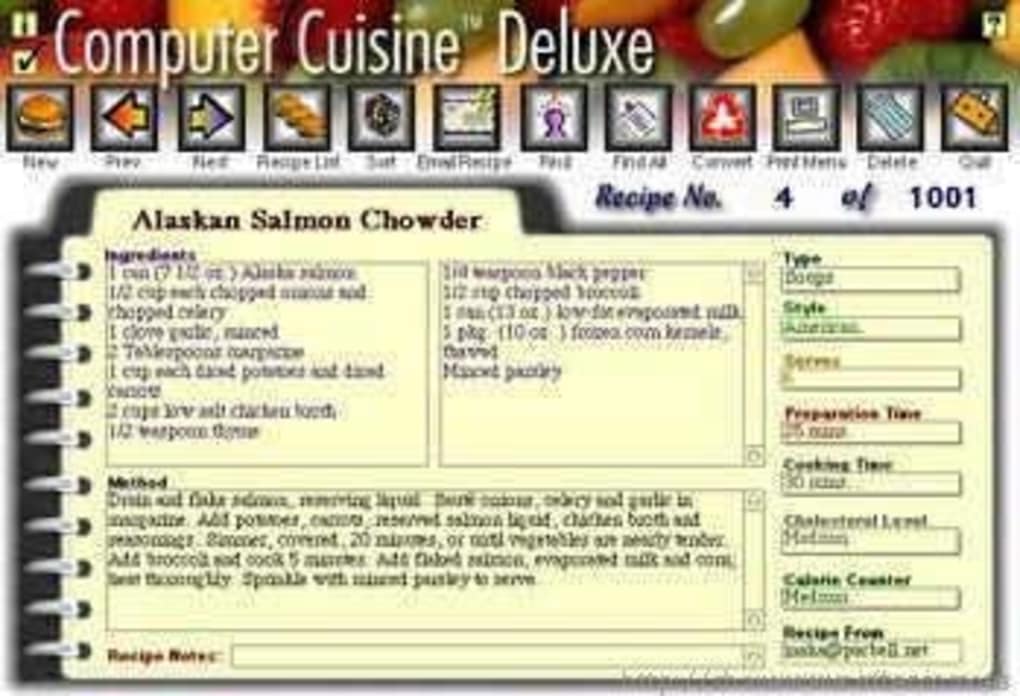
Computer Cuisine Deluxe features a clean, intuitive interface designed for ease of navigation. The main dashboard presents meal plans, upcoming recipes, and active grocery lists in a visually organized layout. Users can browse recipes by category, filter by cook time, dietary restriction, or ingredient, and quickly add meals to their weekly plan with minimal clicks.
Navigation is straightforward, with clearly labeled menus and a sidebar that provides quick access to settings, recipe history, and the grocery list. The workflow is streamlined from planning to execution, with each step logically connected. For instance, selecting a recipe automatically updates the grocery list, and users can mark ingredients as purchased directly within the app.
Performance details were not specified by the developer. However, based on general software behavior patterns, the application is expected to run smoothly on modern systems with sufficient RAM and storage. The developer did not provide additional system requirements, and exact resource usage details were not listed. Stability during extended use remains unverified, but the absence of reported issues suggests reliable operation under normal conditions.
Compatibility & System Requirements
Computer Cuisine Deluxe is compatible with both Windows and Mac operating systems, supporting a broad range of desktop environments. The software version is 1.2.0, and the installation size is 1.2 GB, which includes the core application, recipe database, and associated assets.
Exact system requirements were not listed by the developer. Compatibility information is limited to the operating systems mentioned. The developer did not specify minimum CPU, RAM, or storage thresholds required for optimal performance. Users are advised to ensure their system meets standard desktop software requirements to avoid potential installation or runtime issues.
Pros and Cons
Pros
- Extensive recipe library with diverse dietary options
- AI-driven meal planning reduces decision fatigue
- Smart grocery list generator minimizes waste and saves time
- Intuitive interface designed for efficient workflow
- Supports meal prep scheduling and task reminders
Cons
- Price point may be high for casual users
- System requirements not clearly defined
- No cloud sync or cross-device access mentioned
- Offline functionality not confirmed
- Updates and licensing details not specified
FAQ Section
Is Computer Cuisine Deluxe compatible with Windows and Mac?
Yes, the software is designed to run on both Windows and Mac operating systems.
Can I use Computer Cuisine Deluxe offline?
Information regarding offline functionality was not provided. The software may require an internet connection for certain features, but this has not been confirmed.
Is the software secure and safe to install?
Computer Cuisine Deluxe is developed by CulinaryAI Labs. While no security vulnerabilities have been reported, users should download the software from official sources to ensure authenticity and avoid potential risks.
How often are updates released?
Update frequency was not specified by the developer. Users are encouraged to check for updates manually or via the application’s built-in update system if available.
What type of license does Computer Cuisine Deluxe use?
The licensing model was not disclosed. The software is available for a one-time purchase of $49.99, but details about perpetual use, renewals, or subscription options remain unclear.
Final Thoughts
Computer Cuisine Deluxe stands out as a comprehensive meal planning solution for users who value efficiency, organization, and healthy eating. Its AI-powered tools and smart grocery list generator offer tangible benefits for individuals managing complex dietary needs or seeking to reduce kitchen stress. The extensive recipe library and intuitive interface make it a strong contender in the food and recipe software category.
While the price may be a barrier for some, the depth of features justifies the investment for serious home cooks and meal preppers. The lack of detailed system requirements and unclear licensing terms are notable limitations, but they do not diminish the software’s core value. For those seeking a reliable, desktop-based tool to elevate their cooking routine, Computer Cuisine Deluxe delivers a robust and intelligent experience.
Download Computer Cuisine Deluxe now







